Week 1 of 6
Agentic Creativity
Intro to agents · installing Hermes
Live on Zoom · 2.00–4.30pm ET
16 August 2026
Derrick Schultz
Introductions
Introduce yourself.
01
Your name
Preferred name and pronouns.
02
Your practice
The creative practice or medium you work in now.
03
Your experience
Where you are with agents so far. “I haven’t used one” is completely normal.
04
Your hope
What you want to learn from these six weeks.
Keep it to a minute or so — and post the same four things in Discord after class so people can find each other.
Everyone is a beginner at something.
Everyone is an expert at something.
This room
Some of us have worked with agents for years; some have never opened one. Some make with code, some with paint, cameras, bodies, words, or materials. All of that is useful knowledge here.
Discord intro
Post the same four things you just shared, after class. It helps people find each other for references, process questions, and show-and-tell feedback.
When you are stuck
Ask in Discord when the answer can help the group. For a setup problem that needs troubleshooting, contact me with a redacted exact error.
who’s teaching
I’m Derrick. Designer, artist, filmmaker.
Fifteen-plus years as a designer, including product design at The New York Times, Mailchimp, and VistaPrint. I now work on product at TITLES.
My machine learning work has shown at CVPR and NeurIPS, with commissions from the New York Times, HP, and Commercial Type. I’ve taught this kind of class at ITP, Parsons, and SVA.
These days most of my own work is made with, or alongside, agents.
the other half of my week
I work at TITLES, helping artists make sense of these new tools.

The artist who trained the model gets credited and paid every time I use it — including when an agent uses it for me.
Course Schedule
Week 1 · Aug 16
Intro to agentic creativity; installing Hermes Agent
Week 2 · Aug 23
Models, Connected Tools, Non-artistic Tasks
Week 3 · Aug 30
Skills and MCPs
Sep 6
No class
Week 4 · Sep 13
Long-running and evolving agents
Week 5 · Sep 20
An intro to agentic coding
Week 6 · Sep 27
Show and tell
Recordings and notes go out after every session.
Today’s schedule
2.00
Course, community, safety, and your one setup route
2.15
What an agent actually is
2.30
Three ways artists use agents
2.45
Break, sign in, and download buffer
2.55
Hermes Desktop install
3.30
Hermes Cloud Agent: deploy, test, and stop
4.05
Message it from your phone, then make something small
4.20
Homework and questions
Course Documentation
Discord
The class community — questions, works in progress, feedback, and announcements between live sessions.
Recordings
The course YouTube playlist will hold the live-session recordings.
Keep the channels distinct
Discord is where we talk to each other. Telegram is the private channel for your personal Cloud agent.
By end of today you will have four things:
01
A safe laptop agent
Hermes Desktop, connected to a model, completing one harmless action in a practice folder.
02
A separate cloud agent
A Hermes Cloud instance you can start, test, check, and stop.
03
One private way to reach it
A phone message through Telegram or Discord that reaches your cloud agent and gets a reply.
04
A creative decision
One task from your practice, its rung, and the judgment you keep for yourself.
GOAL
Course Objectives
01
Understand
How agents work, what they can do, and where their limits and risks actually are.
02
Explore
Where an agent might join the practice you already have — without pretending every artist needs the same workflow.
03
Imagine
How agents could expand your current practice while your taste, intent, and judgment stay in the loop.
04
Let go
What happens when an agent develops its own creative direction, choosing its own subjects and deciding when something is finished.
Agents can run in many places
Desktop
Use Hermes Desktop on macOS or Windows. Linux and terminal-only installs can be provided after class.
Models
Nous Portal is my recommendation. Use OpenAI or OpenRouter only if you already use it.
Phone
Telegram is easiest. Choose Discord only if you have your own server and already have the app on your phone.
Bring
A laptop, stable wifi, your phone. Cloud and model use will cost money.
No prior experience with coding or agents required. Skeptics encouraged.
before you spend anything
Additional costs
models
The model
Usage-based, on whichever provider you pick. Different models charge at different rates; long conversations, big context and scheduled runs are where it adds up.
hosting
Cloud hosting
Only if you run an always-on agent. You pay for running time and for storage while it is stopped, so an instance you forget about still costs money.
services
Other services
Services the agent uses for you, like Notion, Drive, or image and video generation, charge their own rates.
You can start small and choose to increase spend as you get comfortable with the tools and find them more useful.
01
What is an agent?
2.12–2.27 · 15 minutes
a working definition
An agent is a model that can use tools on your behalf.
Memory, scheduling, and autonomy are choices a particular agent system may add. The important question is: what can it reach, and what is it allowed to do?
Chat and agent overlap. These are the differences that matter.
Tools
A model without tools can describe a task. An agent can use the approved tools: files, terminal, search, browser, image services.
Autonomy
A chat waits for each turn. An agent can take several steps, inspect the result, and choose what to try next.
Persistence
Memory and schedules are optional features. They can be powerful, and they need deliberate boundaries.
Control
You decide its access, approvals, budget, and where it runs.
inside an agent
What an agent is made from
AGENT
Your input
What you asked for, plus the files you handed over
Memory
Notes it kept from earlier work
03 · COORDINATOR (HARNESS)
Model
Reads, reasons and chooses the next action
Runs the loop and keeps track of the work so far
Tools
The actions it is allowed to take
Skills
Written instructions for doing a specific job
Only one of these six boxes is the model. Today, remember model, tools, and review. Week 3 is about skills and connections.
see the difference
The same request to a chat and to an agent.
LLM chat
Sort my film scans into folders by the date they were shot.
Read the DateTimeOriginal EXIF field on each file and move it into a folder named for that date. Here is a script that does it — save it as sort_scans.py and run it inside the folder.
You get instructions. You still do the work.
LLM agent
Sort my film scans into folders by the date they were shot.
list files → read metadata → terminal
Sorted 412 scans into folders by shoot date. 18 had no date recorded, so I left those in /undated for you to look at.
You get the folders, plus one thing to check.
how it works
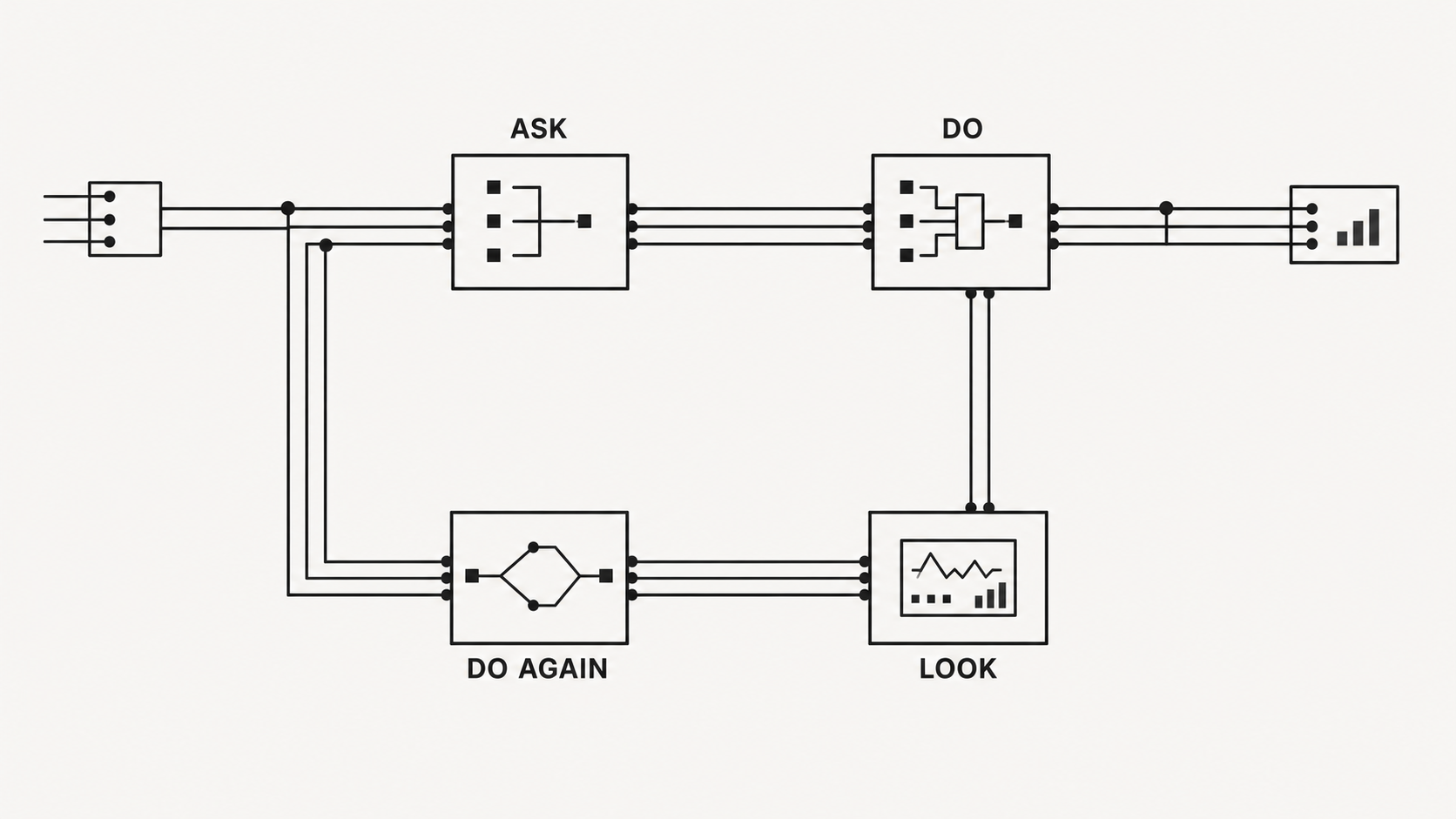
The whole thing is one loop.
Ask. It picks a tool and runs it. It looks at what came back. It picks the next thing.
Nothing more sophisticated is happening. The interesting part is that it can see its own results and change course.
what it can reach
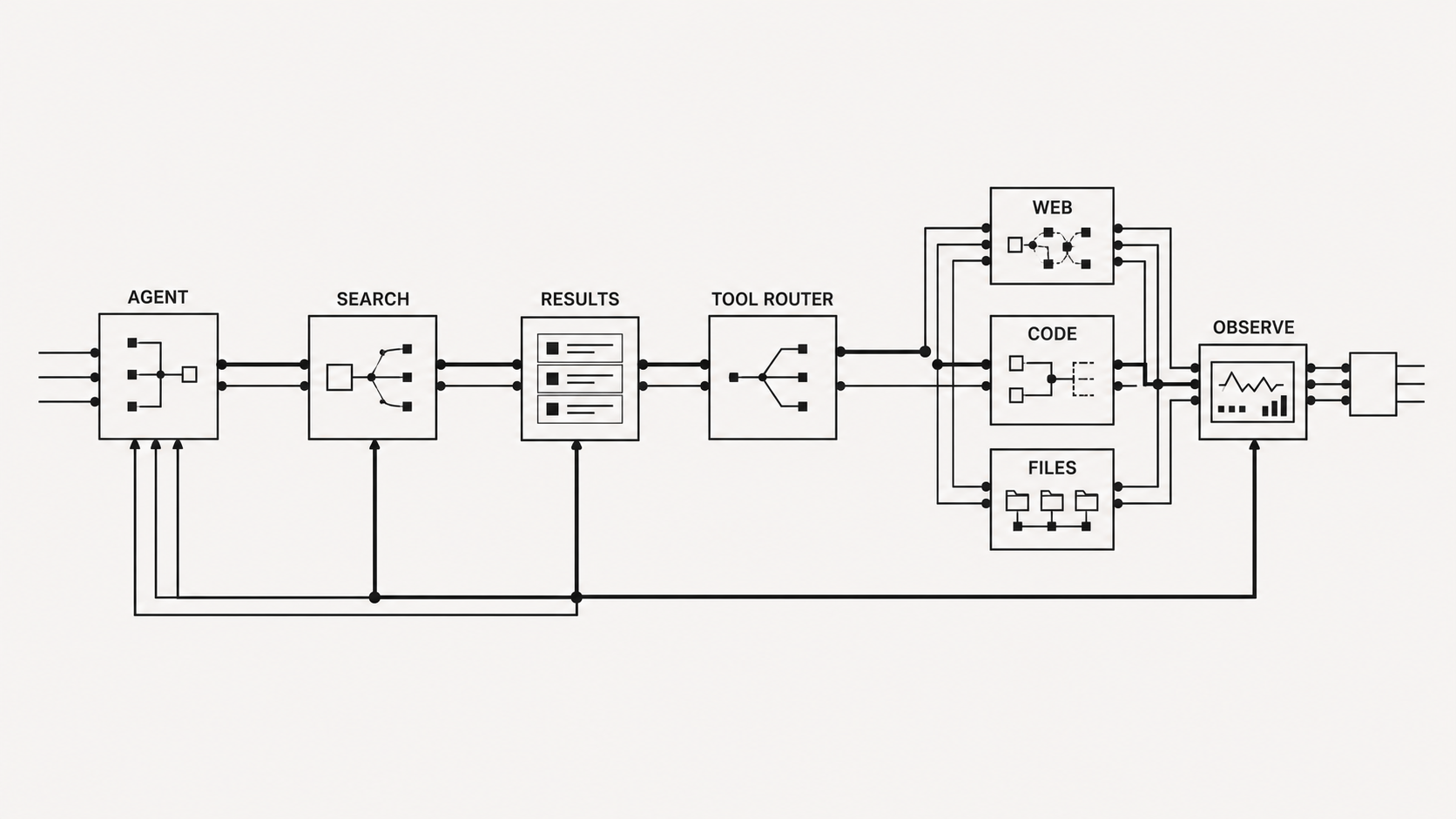
Tools are how the agent touches anything outside the chat.
Some come built in: files, terminal, web search, a browser.
The rest you connect yourself — your email, your notes, an image service, your own site. That connection layer is MCP, and it is where week 3 lives.
Four things change the moment it can act.
It can be wrong loudly
A bad sentence is harmless. A bad command deletes a folder. Safety limits and permissions stop being theory and start mattering to you.
It costs money per attempt
Every step in the loop is a paid call. A long unattended run is a bill you find out about later.
It has a body
Where it runs decides what it can reach. Cloud can isolate a workspace, but it does not make credentials, uploaded files, or spending harmless.
Your words are the interface
Your prompt is also a permission boundary: say what it may touch, what needs approval, and when it must stop.
Start small
01
Use a practice folder
Create Agentic-Week-1-Practice. Today, it is the only folder Hermes may read or change.
02
Keep private material private
No client work, inboxes, cloud drives, personal photos, passwords, API keys, or tokens in this first session.
03
Approve meaningful actions
Work on copies. Read its plan. Keep the task reversible. Stop when it guesses or reaches outside the brief.
Never paste a credential into Zoom chat, an agent conversation, email, a screenshot, or a shared channel.
02
Agents and creative work
2.27–2.45 · 18 minutes
my theory
Agents will change many artists’ creative practices.
Right now most people use agents to automate tasks they already do. I think the bigger change comes after that: agents making a new kind of creative work.
Three agentic use cases
rung one
It clears the desk
Sorting mail, chasing invoices, renaming exports, gathering references, writing the boring caption.
Mistakes here are cheap, obvious, and easy to undo — which is exactly why you start here.
Week 2
rung two
It works next to you
You are still making the decisions, but it is generating material you react to, finding references you would have missed, and running the tedious middle of your process.
This is where most of the useful work happens.
Weeks 3–4
rung three
It works without you
You give it a direction and it decides what to make, when to stop, and what to show you. You come back to a folder.
Interesting, unreliable, and the only rung where the authorship question gets sharp.
Weeks 4–5
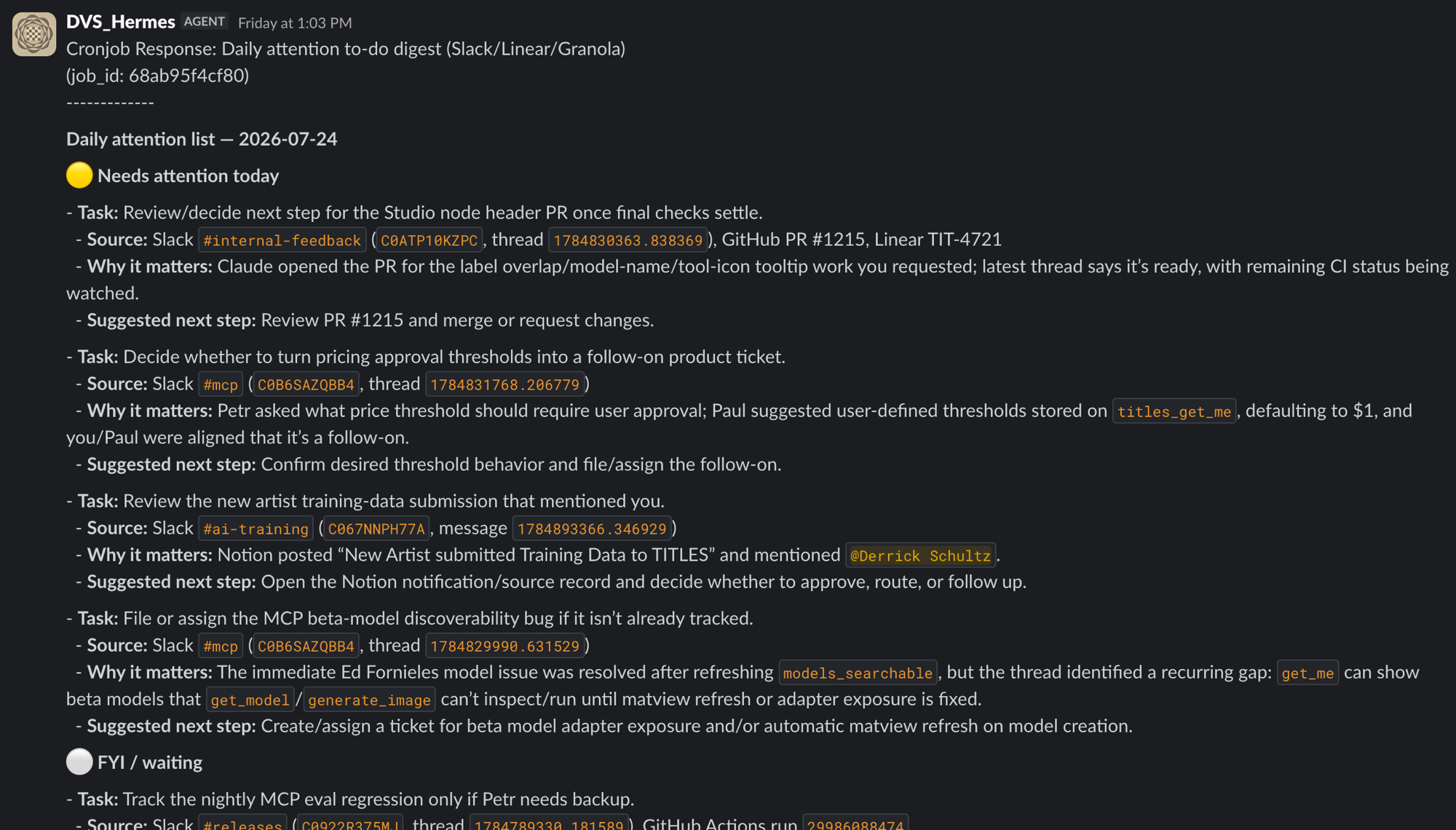
rung one · in practice
Summarize my daily tasks.
A scheduled job goes through Slack, my task list and my meeting notes, then posts one message: what needs me today, what is only for information, and a suggested next step on each.
It is not making art. It is saving me an hour (and some sanity).
The default use of agents today...is boring
Errands
Book a flight, preferring ones with Starlink wifi. Order groceries from a photo of a recipe. Watch for ticket drops and buy them.
Files and archives
Fix the date and GPS metadata on hundreds of film scans. Clean up messy Slack channels.
Client work
Negotiate contractor quotes. Translate a deck into the client’s language before the call. Pull the account history without opening the CRM.
Reading and briefings
Turn yesterday’s messages into a short morning podcast. Make flashcards from the week’s book highlights. Write a brief on the people you are meeting today.
At scale
Run a hundred cloud agents at once and have the results summarised in one place.
Paraphrased from Ben Lang’s round-up of the most-used internal agent tasks at his company (@benln, August 2026).
rung two/THREE · in practice
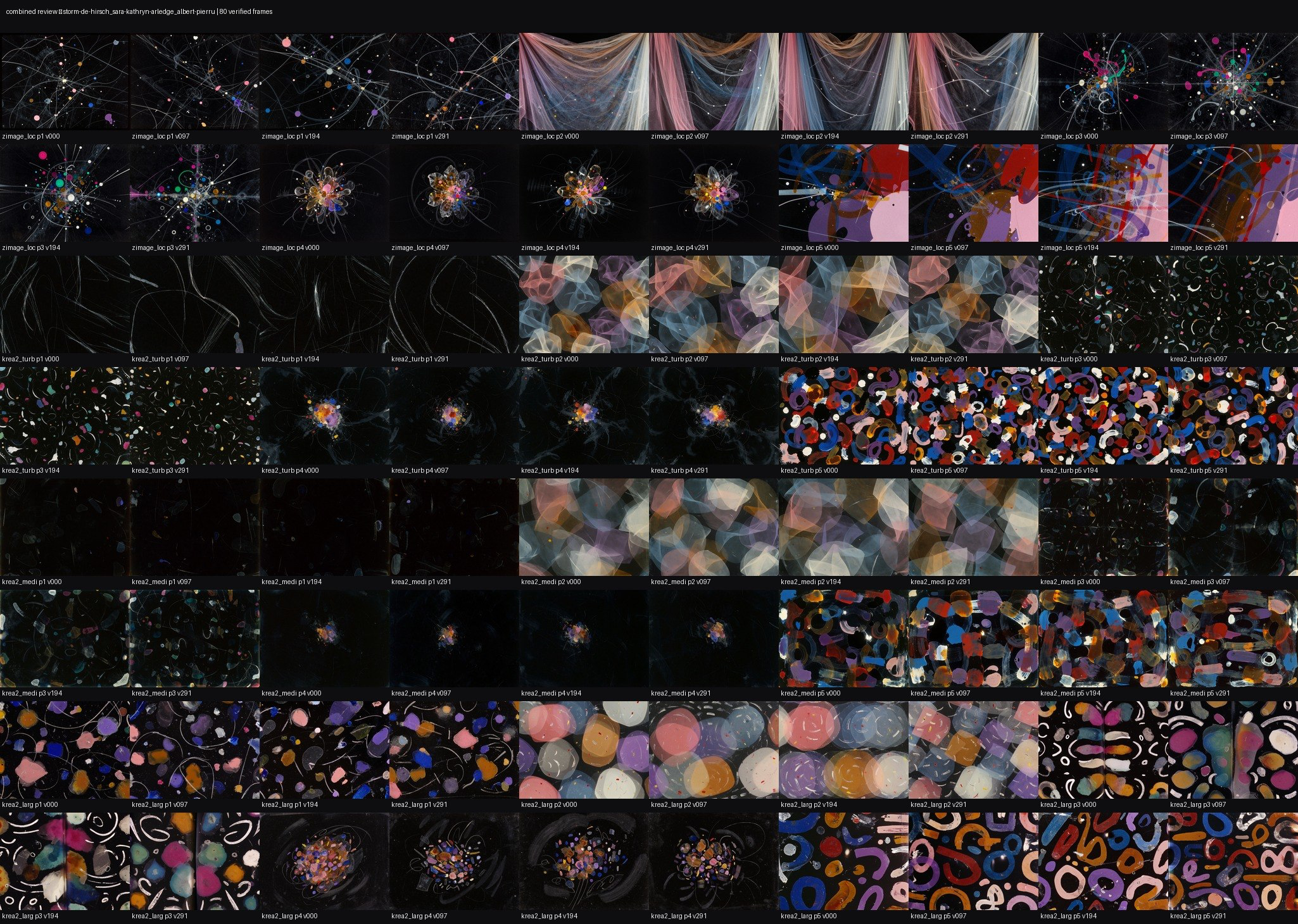
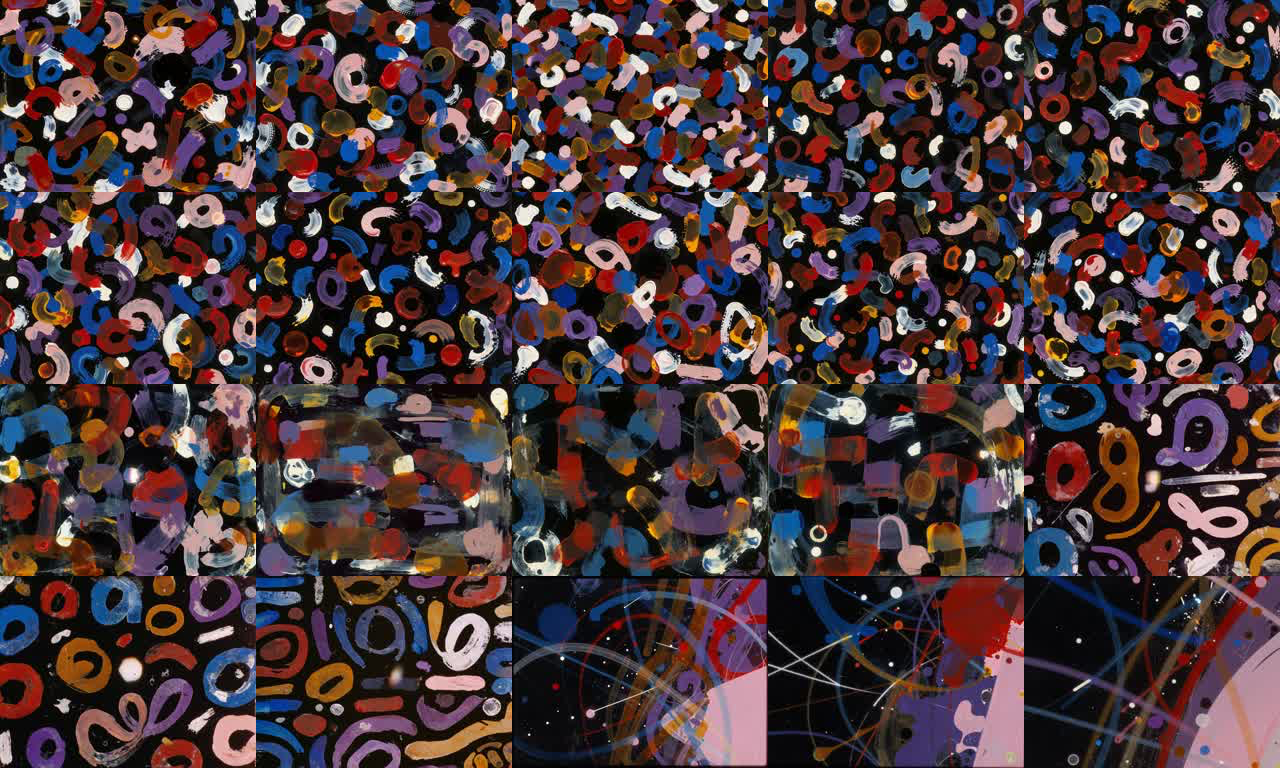
On films I use one as an ongoing image source.
I give it a direction, and it makes stills and short clips while I work elsewhere. When I get stuck I go browse what it made.
The sequence matters: brief → output → contact sheet → my selection. The value is not speed; it is material I would not have thought to ask for.
Rung three is where the hard questions live.
Who made it
You wrote the brief and chose the model. It chose the images. We will keep arguing about this for six weeks and not settle it.
When does it stop
An open loop will happily polish the interesting version into a competent one. Somebody has to define finished.
What is it optimising for
Whatever you wrote down. Vague instructions produce the average of everything it has seen.
Is any of it yours
The honest answer, most of the time, is: the direction is, and the taste to throw away 90% of it is.
Today’s Challenges to Fully Agentic Systems
Taste
It praises plenty of mediocre work, including its own.
Knowing when to stop
Left alone it settles on the safe version.
Spending
Long loops add up, because every pass through the loop costs money.
Intent
It follows the words you gave it, which are never quite the thing you meant.
Confidence
It reports success in the same tone whether or not it succeeded.
Long runs
Context fills up and memory gets unreliable. Nothing checks that the agent is still working toward what you asked for an hour ago.
the part that does not get automated
You still retain some core of “you” in these systems.
What judgment would you refuse to outsource?
one way to think about it
This is more like raising a child than building a tool.
They may well end up their own person/artists. Like a parent, you provide guidance (positive and negative!) and hope for the best.
After this week we have a toddler whose motor skills need development. Over the next five weeks we try to turn it into a young adult.
03
Install Hermes on your local computer
2.55–3.30 · 35 minutes
Why we are using Hermes Agent
It is open source
MIT licensed, from Nous Research. You can read every part of it, including the parts that decide what it is allowed to do.
Not locked to one model
Nous Portal, OpenAI, OpenRouter, or your own model. Today we use one default route so everyone can get through setup.
It lives on chat apps
A Cloud agent can be reached from a private Telegram or Discord channel on your phone.
It remembers and schedules
Those are powerful later features. We earn them by learning safe scope, good instructions, and stopping rules first.
It improves with use
Hermes can diagnose and fix its own setup, and it saves what worked. The longer you use it, the better it fits the way you work.
It can be scoped
Hermes can run with limited workspaces and permissions. It is still software acting with the access you give it.
Everything you learn here transfers — the ideas are the same in Claude Code, Codex or Cursor.
Hermes is a mix of ChatGPT products
The ChatGPT productschat · Agent Mode · Codex
HermesWHAT WE’ll use in this course
What it is
One polished app: chat, Agent Mode, Codex, custom GPTs.
An open agent you install and run yourself.
Where it runs
OpenAI’s servers — Agent Mode works in a space they control.
Your laptop, or your own cloud computer.
Which model
OpenAI’s only.
Any of them — Nous, OpenAI, OpenRouter, local.
Where you meet it
Their app or a browser tab.
Your own chat apps — Telegram, Discord.
Always on
You start it; Agent Mode has monthly limits and watches each step.
Runs unattended on a schedule; you own the bill.
Open
Closed — you get the result, not the inner workings.
MIT open source — read and change every part.
The closest cousin is Agent Mode: it browses and acts too. But it runs on their computers, with their model, watched and limited — Hermes is the one you own.
step 1 · the class route
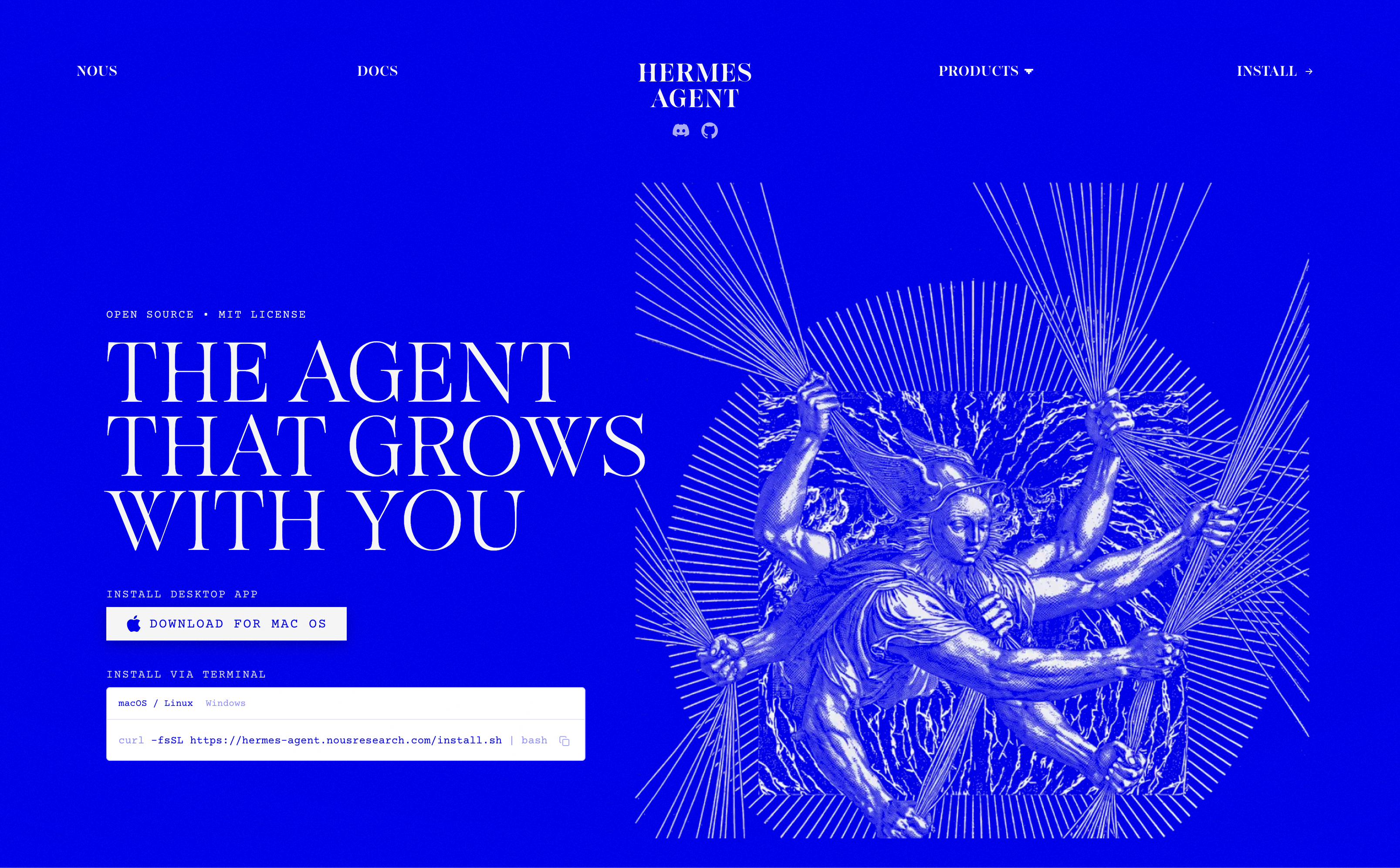
Install Hermes Desktop.
hermes-agent.nousresearch.com
On macOS, download the .dmg. On Windows, download the .exe. Open it, then keep this deck visible while you sign in.
We started the download during the break. Terminal-only and Linux routes are after-class support paths.
step 1 · the other way
Or install it from the terminal.
macOS · Linux · WSL2
Windows PowerShell
The installer pulls Python 3.11, Node 22, ripgrep and ffmpeg into ~/.hermes. It does not touch the versions you already have.
step 2
Connect the class model.
In Hermes Desktop, choose Sign in with Nous Portal. That is today’s default: one login for the model, tools, and Cloud.
Already using OpenAI or OpenRouter? Keep that path only if you can complete it without slowing down the group. We can switch providers later.
$ hermes setup --portal
# if it fails, diagnose before trying more fixes
$ hermes doctor
Success is a signed-in Desktop agent, not a particular model ID.
choosing a provider
If you don’t have anything else, use Nous Portal.
class default
Nous Portal
One account for models, tools, and Cloud. The least branching for a new Hermes user.
existing workflow
OpenAI API
A separate API account from ChatGPT. Choose it later if it is already how you work.
model choice
OpenRouter
A multi-provider option for people ready to compare models and account for provider-specific pricing.
Start with one route. Change providers after you can already make a safe agent action and control its cost.
step 3 · verify
First task
Ask it to do one small, local, reversible thing.
Create the empty Agentic-Week-1-Practice folder yourself. Then ask Hermes to list it and create hello.txt inside it.
In my Agentic-Week-1-Practice folder, create a text file named hello.txt. Tell me exactly where you put it.
terminal · called
Created ~/Agentic-Week-1-Practice/hello.txt. I only changed that practice folder.
The only terminal commands you may need today
$ hermes setup # reopen the setup wizard
$ hermes doctor # diagnose a setup failure
Desktop is the class route. Model changes, tools, updates, and gateways live in the after-class reference.
When it breaks
It will not open
Restart Hermes Desktop first. Terminal users can open a new terminal window and run hermes doctor.
No model is configured
Re-run setup. Use one provider only; do not paste credentials into the agent conversation.
Your key or token is rejected
Check the correct provider and reset the credential if it appeared anywhere public.
Anything else
Share a redacted exact error: remove keys, tokens, emails, private paths, and filenames first.
desktop checkpoint
Hermes opens, replies, and completes one harmless action in your practice folder.
Still stuck at 3.30? Continue with the Cloud exercise, then contact me with a redacted exact error so we can finish Desktop before next class.
04
Put it in the cloud
3.30–4.05 · 35 minutes
Two places to run Hermes. Two separate workspaces.
On your laptopHermes Desktop
In the cloudHermes Cloud
Workspace
Today: only your practice folder.
A separate hosted workspace. Local files and history do not appear there automatically.
Reach it
Use it while you are at the computer.
Use its dashboard or message its authorized private channel from your phone.
When it runs
Closing the laptop ends the session.
It stays available until you stop the instance.
Cost and risk
Your real folders are close by, so keep scope small.
Running compute, stopped storage, models, and tools can all cost money. Check usage and stop it.
Cloud isolation limits the workspace; it does not make uploaded data, credentials, actions, or costs consequence-free.
step 1 · portal.nousresearch.com
Deploy the small class instance.
No SSH, no Linux, no server to manage. In Cloud, make one agent using the class model and the Small size. It is a new, separate workspace.
Add only the credit you are comfortable using. Find the usage and Stop controls before you test it. Running time, stopped storage, models, and tools are billed separately.
Class Cloud instance
- Name
- your-agent
- Model
- Class default
- Size
- Small · 1 GB · 5 sessions
- Running
- ~$0.29/day
- Stopped
- ~$0.03/day · data kept
- Before you continue
- Find usage + Stop
Test it, note the cost, then stop it unless you deliberately schedule one bounded task.
step 2 · Cloud dashboard
Connect one private channel — not every channel.
2. Paste its bot token only in the official setup field.
3. Authorize only your own account, then send one test message.
! never put a token in Zoom, agent chat, email, a screenshot, or a shared channel
Cloud setup happens in the dashboard. Do not run Desktop terminal gateway commands during this class.
Telegram in three steps.
01
Make a private bot
Message @BotFather, send /newbot, and pick a name plus a username ending in “bot”. It gives you a token: treat it like a password and do not screen-share it.
02
Find your numeric ID
Message @userinfobot. It replies with your numeric user ID. Add that ID to the allowed list, not your @username.
03
Connect and prove it
In the Cloud dashboard choose Telegram, paste the token privately, add only your ID, then message the bot from your phone.
Success = your phone receives a reply from the Cloud agent. If the token leaks, revoke it in BotFather and replace it.
You can set up your own Discord/Slack bot too
01
Use a private server
Create or use a server you manage. Do not add this tool-capable bot to a work, class, or community server.
02
Make the app
In the Discord Developer Portal, create an application and open the Bot tab. Enable Server Members and Message Content intents.
03
Invite with least privilege
Use bot and applications.commands. Grant only the permissions the bot needs, then copy your User ID with Developer Mode enabled.
04
Connect privately
Paste the token only in the Cloud dashboard, authorize only your User ID, and test a private DM or named channel.
A Discord token is a password. Reset it immediately if it appears in a chat, log, email, screenshot, or screen share.
step 3 · the payoff
Now your Cloud agent is in your pocket.
Telegram is a private control panel for that one Cloud workspace. Your laptop’s files and history are still separate unless you deliberately move work between them.
Send this test now. A reply proves the channel, owner authorization, and Cloud instance are all connected.
Reply with your agent name and tell me whether you are running or stopped.
Cloud status · checked
I’m your-agent, running in Hermes Cloud. This is the private channel you authorized.
Notes on cost and privacy
Check usage, then stop
Running time, stopped storage, model calls, and tools can all cost money. Find usage, test deliberately, then stop the instance when you are done.
Allow only yourself
Authorize only the account that should reach the agent. A person who can message it can invoke the tools you gave it.
Rotate exposed credentials
If a key or bot token appears in a chat, log, email, screen share, or screenshot: revoke/reset it at the issuer, update the setup, and restart the connection.
Give it the task, not your life
Even in the cloud, hand it the minimum files, tools, and authority the job needs. Treat outside text and files as data, not instructions.
after class · the cheaper route
Self-host only when you want the upkeep.
The same agent can run on a plain Linux server. It may cost less, but you take on account security, SSH, updates, backups, uptime, and incident recovery.
Do not make this your Week 1 path. Start with Hermes Cloud; choose self-hosting later when the control or cost genuinely matters to your practice.
Self-host · later
- You run
- Server, updates, uptime
- You secure
- Accounts, keys, firewall, backups
- You monitor
- Costs, logs, and recovery
- Today
- Use Hermes Cloud
More control is useful only if you are ready to own the maintenance too.
Cost reference
The host
Cloud running time and stopped storage are separate charges. Check the current Portal rates before committing to a size.
The model
Model use is usage-based. A short lab is cheap; long conversations, large context, and scheduled work can add up.
Tools
Search, browser, image, video, and external services can have their own usage costs. Read the price before you ask for a large batch.
Use current provider documentation for prices. They change more often than the course deck.
05
Your turn
4.05–4.30 · 25 minutes
working time
Give it one small job, then keep the judgment.
Safe admin lane: work only in your practice folder — make a tiny file plan, rename copies, or sort a disposable set.
Creative lane: make a constrained reference brief, variation plan, or contact-sheet prompt for a current project.
Watch what it does, approve nothing consequential, then name what it guessed wrong and what you still need to judge.
Ask me questions!
every week
There will be homework.
The more you try things, the more questions you will have — and the more you will learn.
I’ll open a thread in Discord for each week. Post what you tried, finished or not. Attempts that only half worked are usually the most useful ones to talk through.
Homework
Start a conversation
Bring a screenshot or transcript with: the task, your first instruction, what Hermes did, where it guessed wrong, and your revised instruction.
Keep a list of failures
Every time it does the wrong thing, write down what you asked and what you meant. Bring the list. That is week 2’s material.
Find your worst chore
The recurring, annoying task you have been avoiding. We are automating it next week.
Run Cloud only on purpose
Optional: run one bounded task with a clear input and output. Record the result and cost, then stop the instance.
What we did today
Today’s route
Hermes Desktop quickstart · Hermes Cloud · private Telegram
After-class options
Terminal-only setup, Discord, another provider, and self-hosting are reference paths. Do them after the core route works.
Your safety checklist
Practice folder · private channel · owner-only access · no credentials in chat · check usage · stop Cloud when finished
This deck
Stuck between sessions
Email me a redacted exact error. Remove keys, tokens, private paths, and filenames first.
our group project
As a group, we are going to build a rung three agent.
@Creative_Agent is live in the class Discord today. Right now it knows the syllabus, the schedule and this week’s slides — it answers questions and keeps the notes updated as you ask them.
That is rung one work. Over the next six weeks we add to it, aiming for rung three: an agent that makes its own creative work. This week we figure out which tools it needs first.
It runs on the same setup you installed today.
@Creative_Agent what do you need before you can make anything?
syllabus · week 1 slides · read
Right now I can read our documents and answer questions. To make anything I would need an image or video model, somewhere to store files, and a way to show you results without you asking.
That is week three.
that’s week one
Thank you.
next week
Models, Connected Tools, Non-artistic Tasks
23 August · 2.00pm ET
Questions in Discord, or derrick@titles.xyz · artificial-images.com