Week 3 of 6
Agentic Creativity
Skills, MCPs, and Visual Capabilities
Live on Zoom · 2.00–4.30pm ET
30 August 2026
Derrick Schultz
before we begin
Create your TITLES account and send Derrick your username.
1. Open the class signup link. Create an account or sign in if you already have one.
2. Find your TITLES username. Check your profile after signing in.
3. Send the username to Derrick. Put it in the Zoom chat or send it directly.
Course schedule
Week 1 · Aug 16
Introduction to agentic creativity and Hermes Agent setup
Week 2 · Aug 23
Models, text generation, and everyday tasks
Week 3 · Aug 30
Skills, MCPs, and visual capabilities
Sep 6
No class
Week 4 · Sep 13
Long-running agents and how they change over time
Week 5 · Sep 20
An introduction to agentic coding
Week 6 · Sep 27
Show and tell
Today we give the agent two things it did not have last week: reusable methods and new ways to work with images and video.
Today’s schedule
2.00
Review, questions, and a look at the group agent
2.20
Skills: reusable instructions for an agent
2.45
MCPs: connecting an agent to live tools and services
3.05
Break
3.10
TITLES lab: create images, edit images, and make video
3.50
Vision and visual creation for our class agent
4.15
Work time, homework, and questions
Catch up on the class agent installs and watch for the Telegram update.
Discord
Google Workspace
Telegram
Just use the QR code setup!
Use these recordings if you still need to install the class agent before today’s session.
today’s question
How do you give an agent a process and data, not just another prompt?
Quick start: In the chat, name one process you repeat often enough that you wish your agent already knew the steps.
01
Skills
2.20–2.45 · 25 minutes
a useful definition
A skill is a reusable set of instructions, references, and validation checks.
It gives the agent a tested approach without putting every detail into every conversation.
the problem skills solve
Repeatable steps
When you discover a reliable process—how you organize research, prepare a pitch, or make a contact sheet—you can turn it into a skill.
Next time, the agent can load the instructions only when that task comes up. You keep the method, not just one successful chat.
Make a contact sheet of these images, label each one, and keep the originals untouched.
SKILL
When asked for a contact sheet:
1. inspect the folder
2. preserve originals
3. make labeled output
4. verify every file appears
The skill captures a sequence, constraints, and a definition of done.
example · visual review
A skill can teach the agent how to look at creative work.
When to use
Use when someone wants feedback on an image, sequence, or edit.
Procedure
1. Describe what is visibly present before interpreting it.
2. Name the strongest choices: framing, light, colour, rhythm.
3. Compare the result with the stated intention.
4. Offer 2–3 concrete next experiments.
Check
Do not invent details that are not visible.
The skill gives the agent a critique method. A vision model gives it the ability to inspect the image.
a skill is more than a prompt
Useful skills make the important choices explicit.
01
When to use it
What kind of request should call up this method?
02
Procedure
What steps should happen, and in what order?
03
Pitfalls
What common mistake should the agent avoid?
04
Verification
How should the agent check its work before stopping?
Pair check: In the visual-review example, point to the trigger, procedure, pitfall, and final check. What is still missing?
inside SKILL.md
The information at the top tells Hermes when to use the skill. The instructions below explain what to do.
The top block gives the skill a name and a short description so Hermes can find it at the right moment.
The main instructions describe the steps, likely mistakes, and the check that proves the work is ready.
SKILL.md is the only required file. A skill can also include supporting references, scripts, templates, or assets. · Hermes: creating skills
---
name: visual-critique
description: Ground feedback in visible evidence
---
# Visual Critique
## When to Use
Use when someone asks for feedback on an image.
## Procedure
1. Describe visible evidence.
2. Compare it with the stated intention.
## Pitfalls
Never invent details that are not visible.
## Verification
Cite visual evidence for every suggestion.
Hermes starts with useful skills for common kinds of work.
Research
Find papers, gather web material, and organize source-based work.
Creative work
Make diagrams, documents, media, and other task-specific outputs.
Projects & code
Plan work, use repositories, coordinate coding agents, and manage changes.
Agent setup
Configure Hermes, use connected tools, and coordinate several agents.
Optional and community skills must be added separately. Use /skills or hermes skills list to see what is already installed. · Hermes: bundled skills catalog
where skills live
Find installed skills and new ones in the same place.
Open Capabilities → Skills to inspect, enable, or disable the skills your agent already has.
The Skills Hub sits below that list. Search it when you want to add a bundled, optional, or community skill.
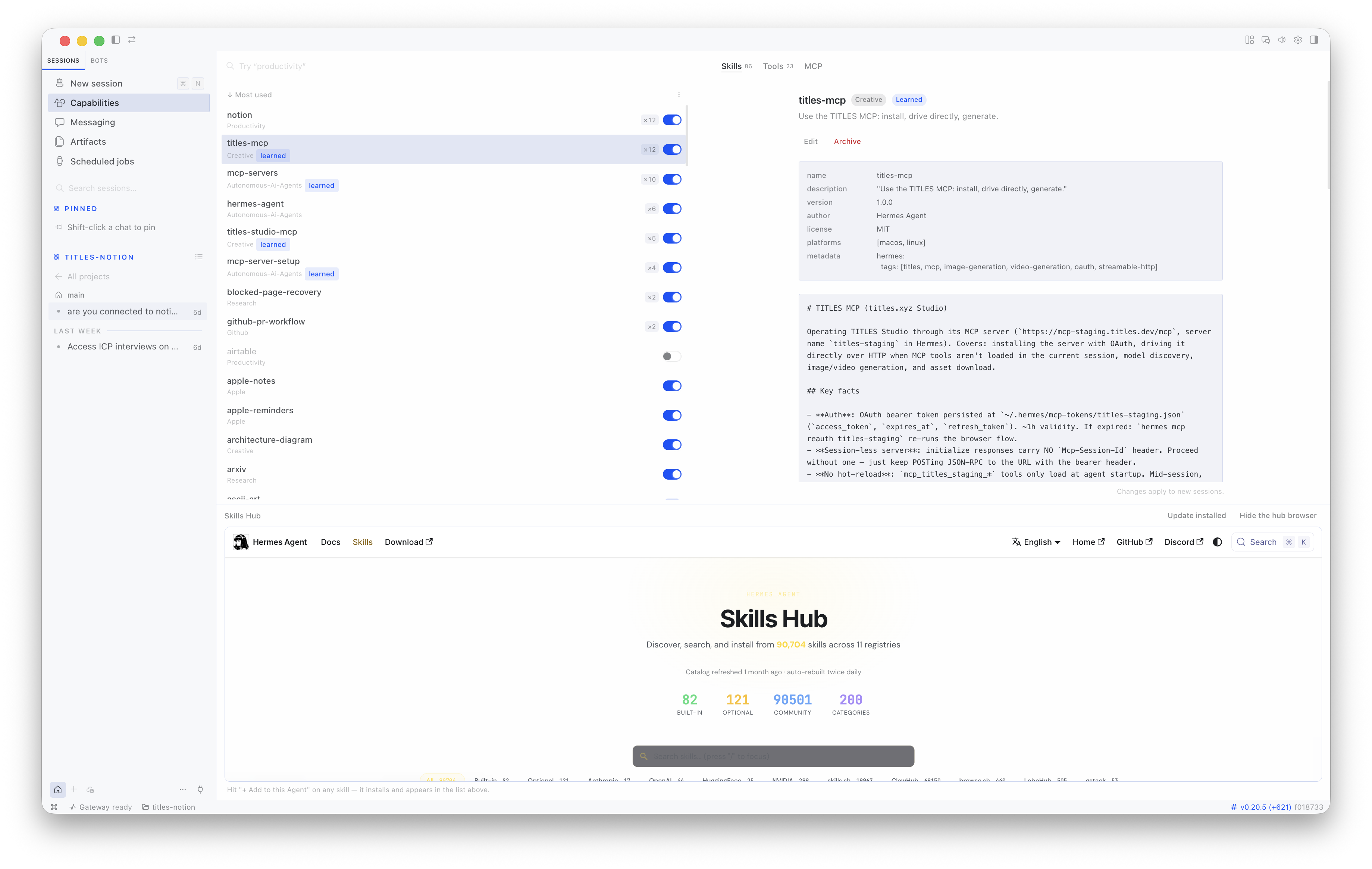
the easiest installation path
Give Hermes the GitHub link and ask it to inspect the skill before installing it.
Hermes can explain what the skill does, show you the security scan, and pause for approval.
You are handing off the commands, but you still decide whether the instructions are trustworthy and useful.
You can also type /skills install <identifier> --now directly in chat. · Hermes: working with skills
Inspect owner/repo/skills/my-workflow. Tell me what it does and flag risky instructions. If the scan is clean, ask before installing it for this session.
I’ll inspect the source and scan result first.
Hermes skills · inspect
It contains a focused workflow and no dangerous findings. Install it now?
Yes.
Hermes skills · install and activate
command-line reference
You can also inspect and install a GitHub skill yourself.
Install one skill
hermes skills inspect
owner/repo/skills/my-workflow
hermes skills install
owner/repo/skills/my-workflow --now
Keep using a repository
hermes skills tap add owner/repo
hermes skills search my-workflow
--source owner/repo
hermes skills install
owner/repo/my-workflow --now
--now activates the skill in this session. Read the instructions and review the scan before installing third-party skills. · Hermes: Skills Hub and GitHub sources
save the method
Hermes can turn a successful workflow into a skill for next time.
When Hermes solves a difficult sequence, escapes a dead end, or learns from your correction, it can save the working method as a new skill.
Skills store a process. Memory stores facts and project details.
We finally got the grant packet right. Save that process.
I’ll turn the successful workflow into a focused skill: inputs, order, checks, and the mistakes we avoided.
skill_manage · create or update a skill
Next time, I can load that method when the task appears.
Not every chat should become a skill. Save methods you expect to reuse, and require approval if you want to review every change. · Hermes: agent-managed skills
five-minute exercise
Find one process you repeat and write its first skill.
Choose a real recurring task. It can be creative, administrative, or research-based.
Write four headings: When to use, Procedure, Pitfalls, and Verification.
Do not try to make it universal. A useful first skill is narrow enough to test next week.
Pair up if you want: explain the task to someone else and notice the steps you forgot to say out loud.
02
MCPs
2.45–3.05 · 20 minutes
model context protocol
An MCP is a bridge between an agent and a live service.
It describes the tools a service offers, the inputs they accept, and the results they return. The agent can then decide when to use them.
what happens in practice
The agent makes the plan. The MCP gives it a specific action it can take.
You ask for an outcome. The agent chooses a useful tool, sends it the required information, reads the result, and continues.
The MCP is not another model. It is the connection that lets your model use a service.
Make a 16:9 image of a night garden in a painterly artist model.
I’ll find a compatible model, then generate a draft.
TITLES MCP · find models
TITLES MCP · generate image
Here are four directions. Want to develop one or try another model?
connect one service deliberately
Install the MCP, enable only the tools you need, and sign in the way its service expects.
A safe first install
hermes mcp catalog
hermes mcp install <name>
Enable only the tools you need.
hermes mcp test <name>
/reload-mcp
Three ways to sign in
API key
Hermes stores a key supplied by the service.
OAuth
A browser asks you to approve access to your account.
Local server
Share only the exact settings that program needs.
Let Hermes ask for secrets; never paste keys into a chat or source file. Start with a harmless test, then enable actions that can write, publish, or spend. · Hermes: MCP setup and authentication
Skills provide the method. MCPs provide the tools.
A skill says
Before generating, identify the mood, format, audience, and whether the result needs to move.
An MCP says
Here are the tools for finding models, generating an image, editing it, or making a video.
The agent does
Choose a tool, fill in its inputs, inspect the result, and continue the process with you.
You decide
The intention, the references you share, the cost you approve, and the final selection.
a safety habit
Every MCP is also a new permission.
Before connecting
What account can it reach?
Can it read private material?
Can it write, publish, or spend?
Where does the key live?
What will the service retain?
While using it
Read the tool description.
Check the inputs.
Start with a small test.
Notice confirmations and cost.
Review the output.
Do not paste passwords or API keys into a chat. Use the service’s intended setup and keep early experiments low-stakes. · Hermes: MCP
two ways to expose a capability
A CLI is made for terminal commands. An MCP publishes tools in a format made for agents.
CLI · command-line interface
titles generate
--model painterly-garden
--prompt "night garden"
The agent needs to know
the command · flags · output format
MCP · agent tool interface
generate_image
model: painterly-garden
prompt: "night garden"
The agent can discover
the tool · required inputs · result shape
An agent can use either. A CLI is often direct and easy to debug; an MCP makes tools easier to discover and combine across agents. The underlying service may offer both.
Put each instruction where your agent will need it.
A prompt
Use it for the subject, limits, and outcome of this one request.
AGENTS.md
Use the Week 2 context file for rules that apply throughout one project.
A skill
Use it for a repeatable method that matters only for a certain kind of work.
An MCP
Use it when the agent needs live access to a service or tool.
Week 2 gave the agent project context. This week we add reusable methods and live capabilities.
Break
Stand up. Refill. Return ready to connect TITLES.
3.05–3.10 · 5 minutes
03
TITLES lab
3.10–3.50 · 40 minutes
one-time setup
Ask Hermes to connect TITLES, then approve access in your browser.
Give Hermes the complete production address: https://titles.xyz/mcp. Tell it to use OAuth.
Sign in to TITLES, review the access request, approve it, then return to Hermes and enable the tools for today.
Terminal option: hermes mcp add titles --url https://titles.xyz/mcp --auth oauth. If access expires, run hermes mcp reauth titles. · Hermes: OAuth MCP servers
Install https://titles.xyz/mcp as an MCP server named titles. Use OAuth and ask before enabling the tools.
I’ll add the server and open TITLES authorization in your browser.
Hermes MCP · add titles · OAuth
Approve access in the browser, then return here to choose which TITLES tools to enable.
Approved. Enable the image and video tools we need today.
TITLES MCP · connected
verify with a harmless read
Check the account, not just the connection.
A successful server test only proves that Hermes can reach TITLES. Ask a question that confirms which account OAuth authorized.
If the handle is missing or wrong, open the TITLES MCP settings and authorize again before generating or publishing anything.
This read-only check catches the most important setup mistake: connecting the right service through the wrong account.
Who am I on TITLES?
I’ll check the account connected through the TITLES MCP.
titles_get_me · called
You’re signed in as @yourhandle.
Great. What image and video tools are available to us?
TITLES MCP · list enabled tools
confirm the whole connection
Generate one inexpensive still before starting the larger lab.
Use the same short prompt as everyone else. Ask Hermes to choose a low-cost image model and show the price before it runs.
If the image returns, you have tested the account, enabled tools, model search, cost approval, generation, and download.
Shared prompt: A red chair beneath one blue theatre light, empty stage, 16:9. Generate only one image.
Using TITLES, find a low-cost still-image model for this prompt: A red chair beneath one blue theatre light, empty stage, 16:9. Show me the price before generating one image.
I’ll find a suitable model and confirm the cost first.
TITLES MCP · search models
This model fits the test and costs [current price]. Generate one image?
Yes.
TITLES MCP · generate image
the tools work · now add the methods
Install the TITLES skills so Hermes knows how to turn the tools into a workflow.
The MCP supplies live actions. The skills supply tested methods for choosing and sequencing those actions.
Ask Hermes to inspect the repository and its security scan before installing it.
github.com/titlesnyc/titles-skills · Activate the skills for this session.
Inspect https://github.com/titlesnyc/titles-skills. Explain what the skills do, show me the scan, and ask before installing them.
I’ll inspect the repository and summarize the available workflows.
Hermes skills · inspect repository
The scan is clear. Install and activate the TITLES skills?
Yes.
Hermes skills · install and activate
three-minute exploration
Explore fal’s model catalog before I recommend a video model.
Connect
Connect the fal MCP at
https://mcp.fal.ai/mcp
Use the API key flow from fal.
Do not paste the key into chat.
Enable search, model details,
pricing, and generation.
Explore
1. Find three image-to-video models.
2. Inspect the inputs for one.
3. Check its current price.
4. Choose the one you would test
and explain why.
Use search_models, get_model_schema, and get_pricing. Do not generate yet. · fal.ai: MCP documentation
my quality-for-cost recommendation
H3 Max is an affordable way to test several strong video ideas.
H3 Max is fal’s version of MiniMax H3. It follows prompts well and can create video from text or an image, with synchronized audio.
The regular 768p price is $0.08 per second, or about $0.40 for five seconds. Check the live price in fal before every run.
Use it for
Quick text-to-video or image-to-video tests
Output
480p or 768p · audio · 5–15 seconds
Speed
fal reports a five-second clip in under three seconds
Choose another model when
You need 2K, reference video, or video editing.
fal currently offers free daily H3 Max tests on its model page; API runs use the listed price. · fal: H3 Max details and pricing
the model changes the image
Choosing a model is part of directing the work.
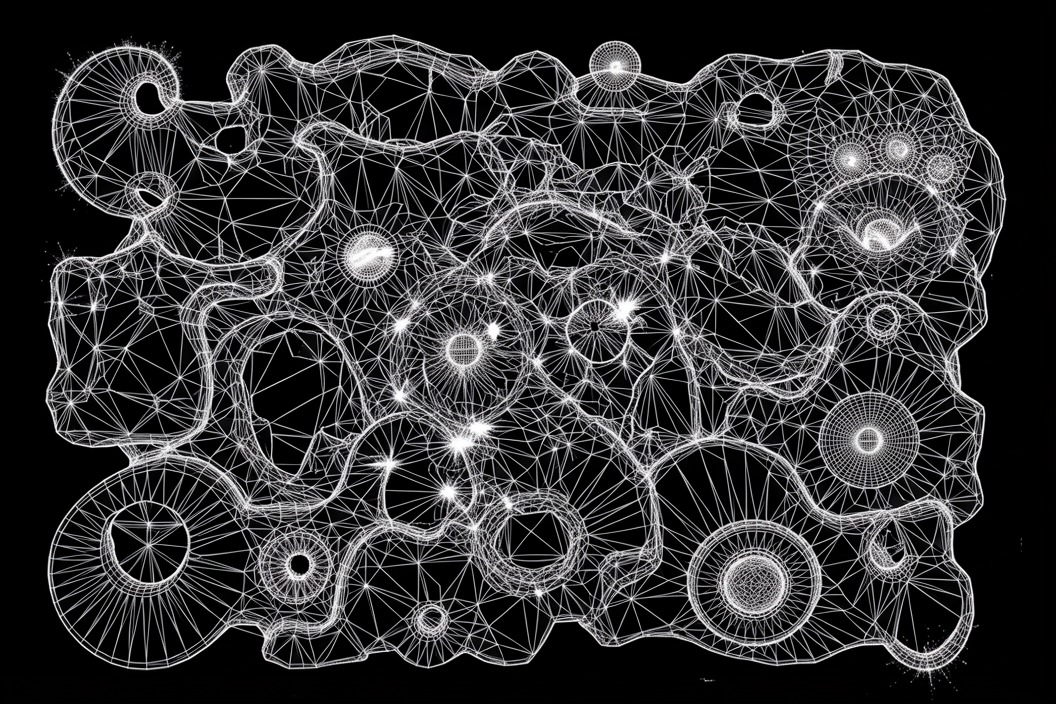
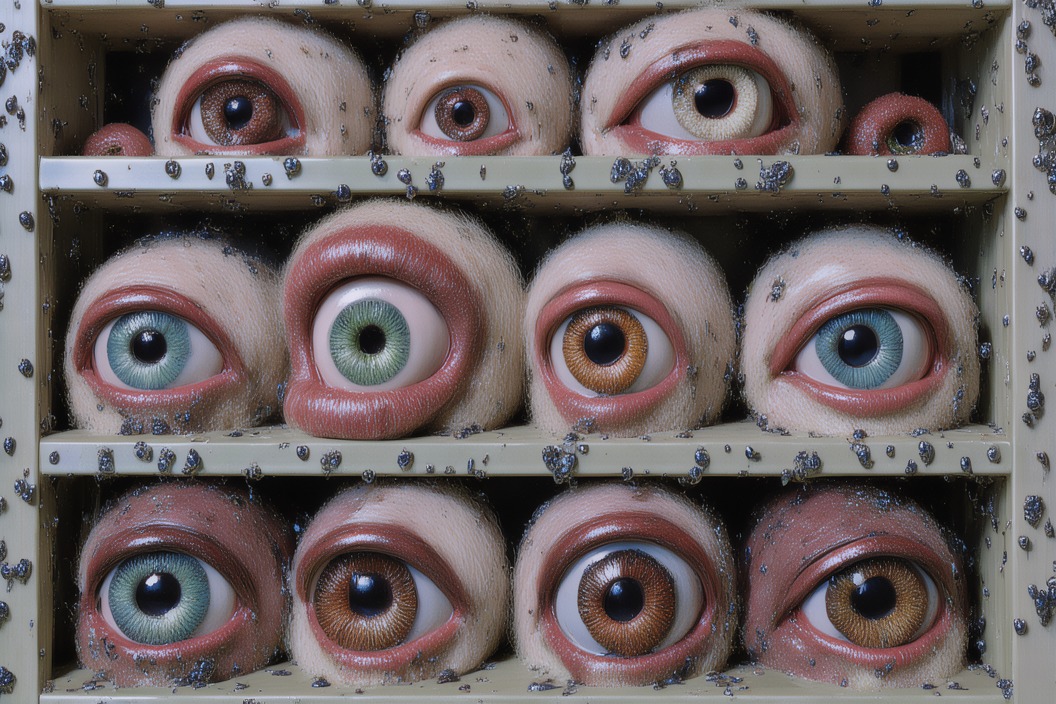

Class choice: Which model would you choose for a dreamlike character study? Point to evidence in the images before naming your preference.
choose the right kind of model
Different models handle different parts of the visual process.
Image
Generate a still
Explore composition, style, objects, and one decisive frame.
Edit
Revise a source
Keep part of an image while changing a subject, material, or setting.
Video
Animate an image
Turn one strong frame into a short moment with clear movement.
Vision
Read an image
Describe and compare what is visible so the next decision is more precise.
These abilities work together. One is not simply a better version of another.
TITLES tool · text-to-image
Start from words when you want to explore several visual directions.
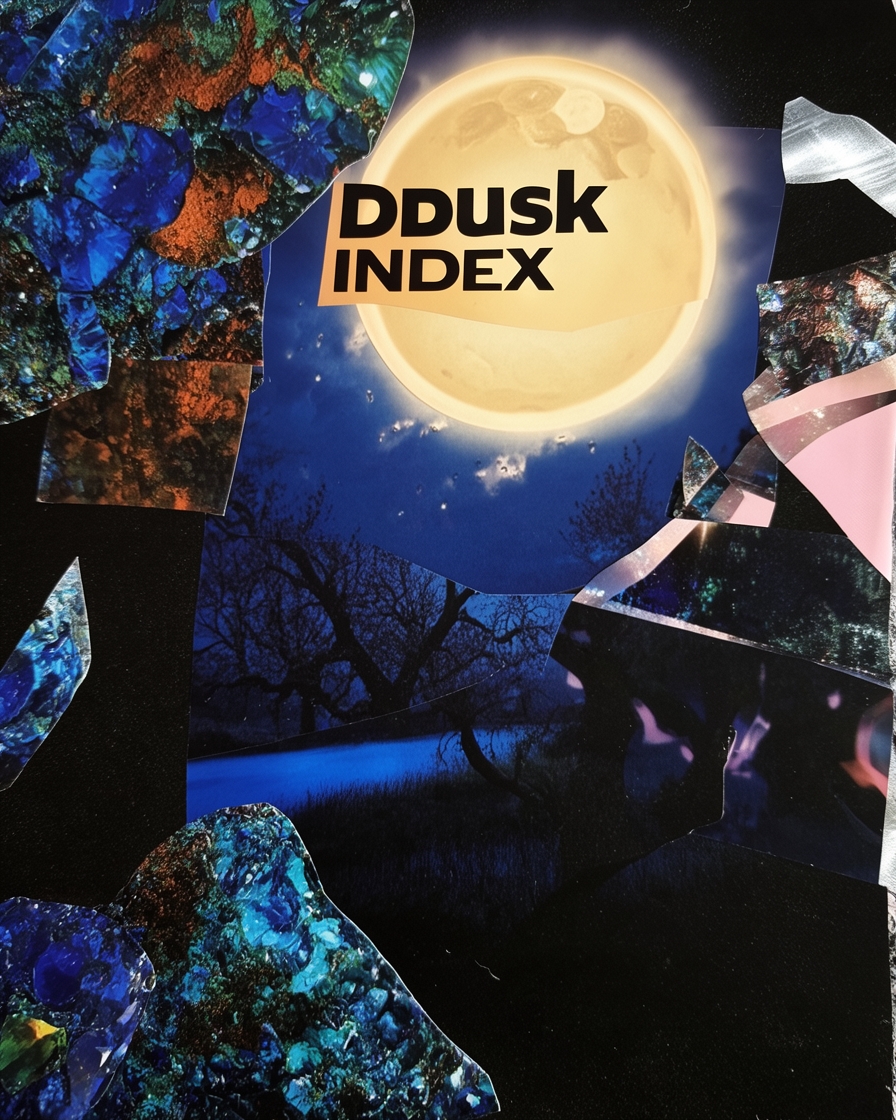
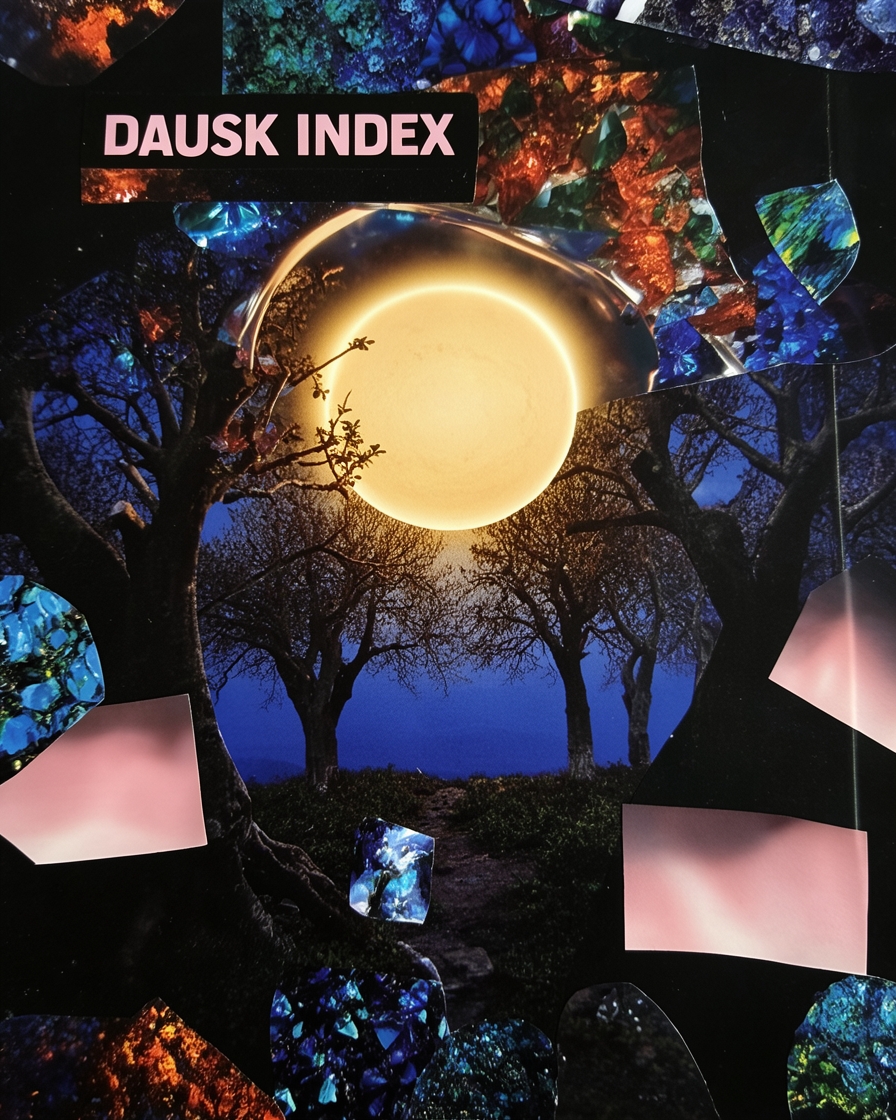
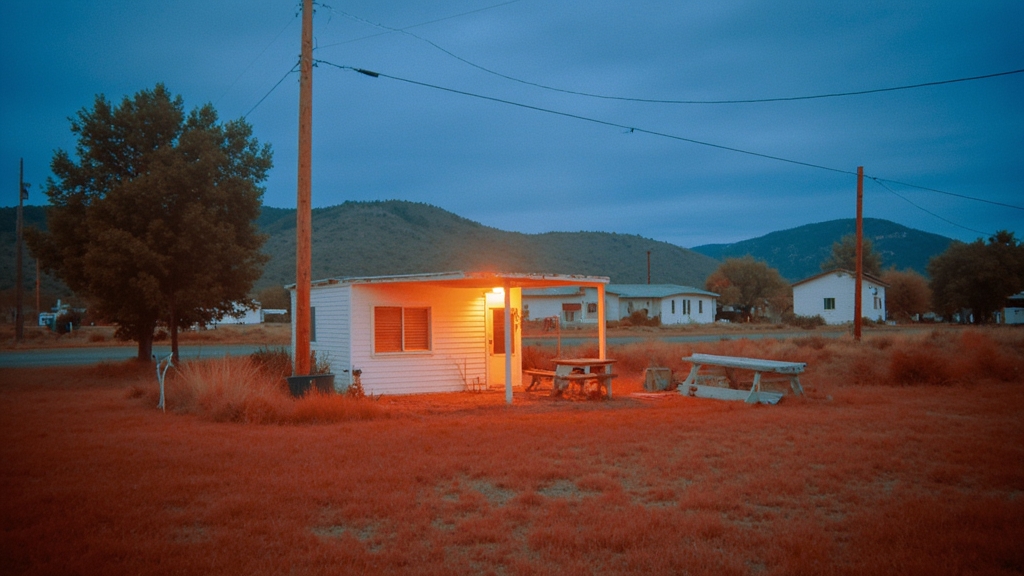
Use it for: concept frames, posters, storyboards, visual research, and comparing several models before choosing a direction.
TITLES tool · image editing
Start from an image when something must remain recognizable.
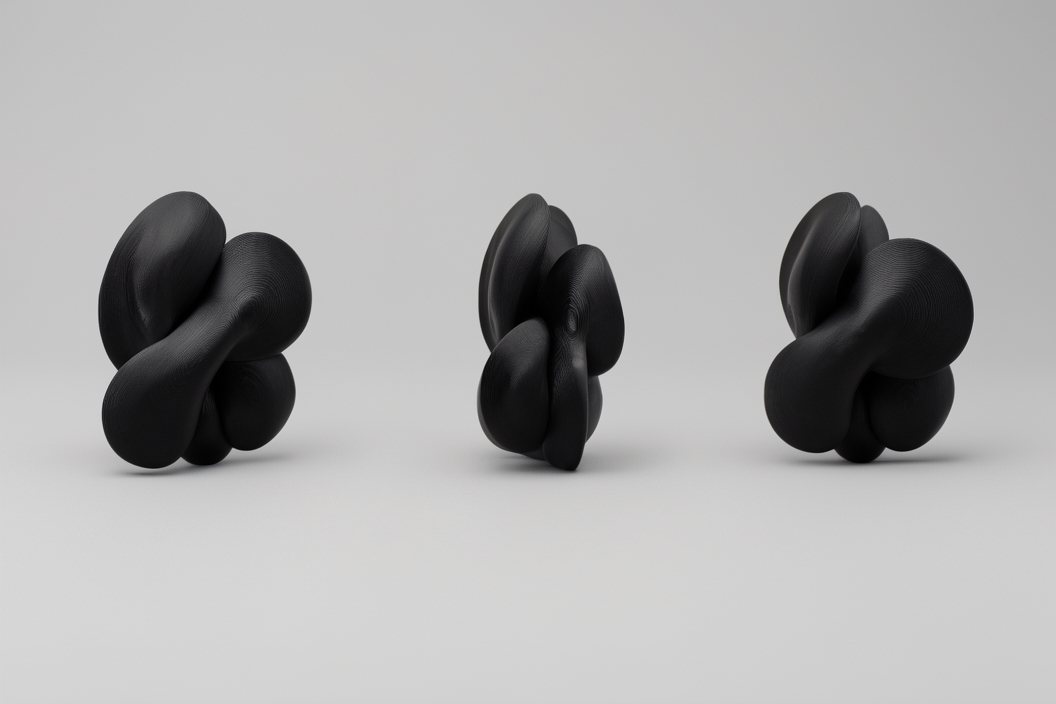

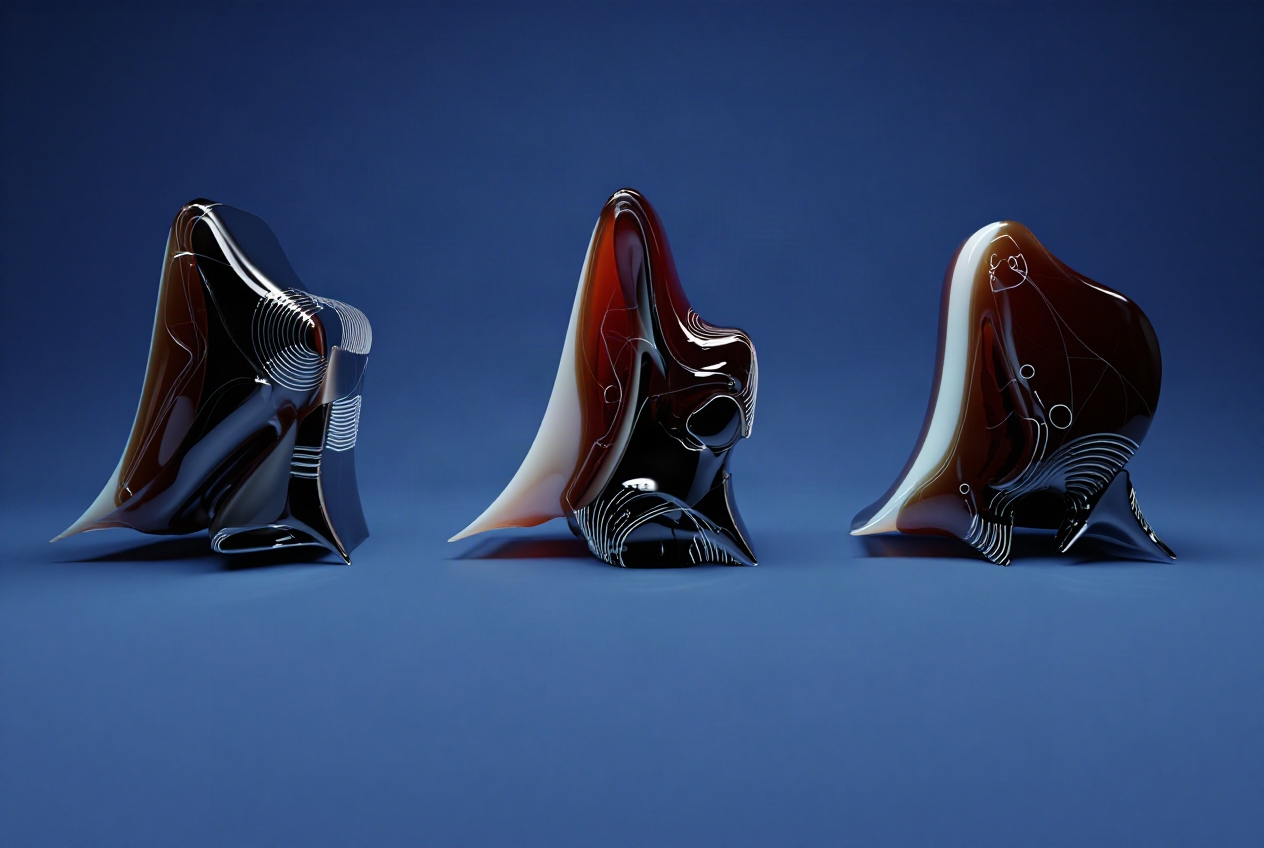
Use it for: replacing an object, extending a frame, changing light or setting, cleaning an image, or restyling while preserving the original composition.
TITLES tool · text-to-video
Text-to-video invents the frame and the movement together.
This five-second H3 test began with words only: a handmade roadside shrine at blue hour, grass moving in a soft wind, and one seed pulsing with light.
Use it for: motion studies, B-roll, transitions, abstract loops, and testing an idea before you design a starting frame.
Prompt constraint: locked camera, one environmental movement, one small light change, and no text.
TITLES tool · image-to-video
Animate a chosen still when its composition should carry into motion.
Begin with a frame you would be happy to hold on screen. Then choose one main movement: the camera, the environment, or the subject.
Use it for: animating artwork, product images, storyboards, portraits, or a keyframe with a carefully chosen visual language.
Example: slow push forward; threads and bells move in a light wind; mist drifts while the figure stays still.
TITLES tool · video from references
Several references can divide the job between character, setting, and art direction.
This H3 test combines three images from the same orchard world, then asks for one slow camera move while the figure remains still.
Use it for: recurring characters, products, wardrobe, locations, or a visual language that should remain consistent across several shots.
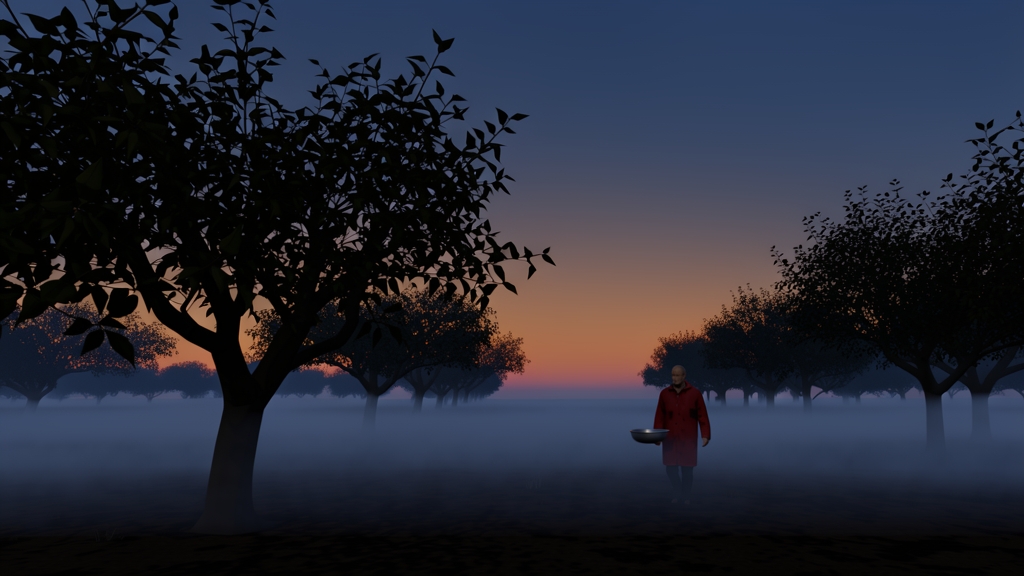
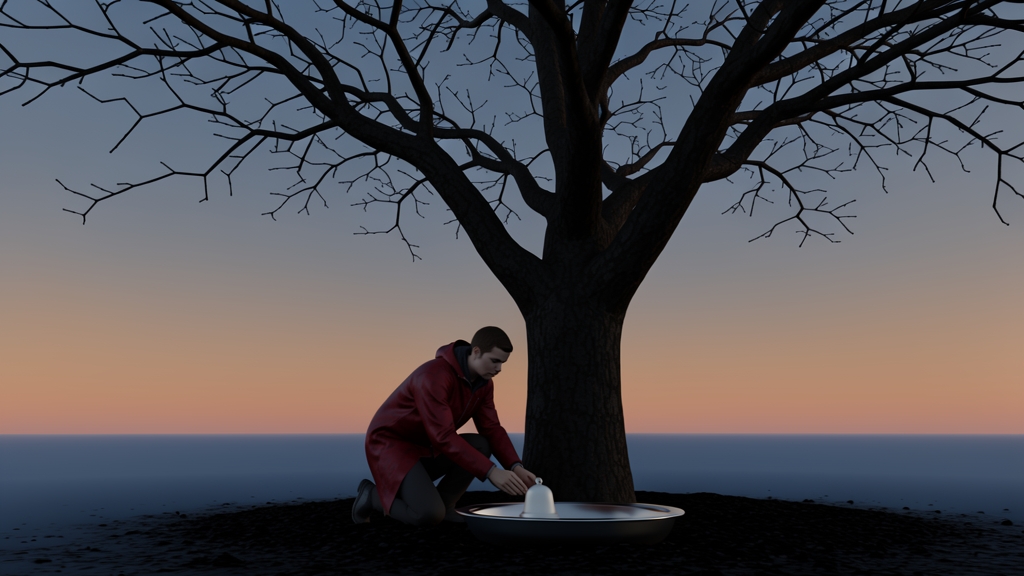
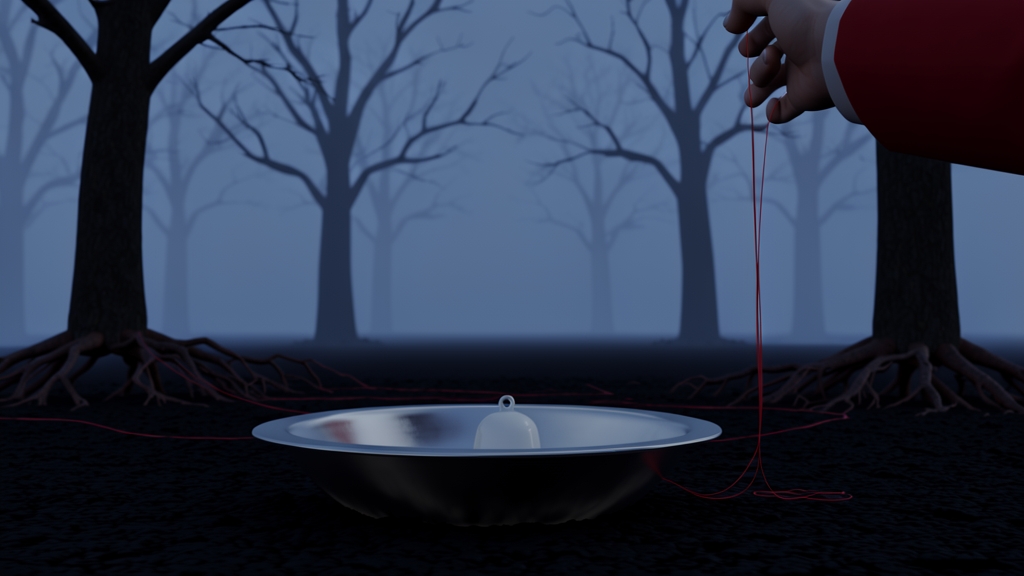
Three inputs: character · setting · material and palette.
TITLES tool · video-to-video
Start from a clip when its timing and movement should survive the transformation.
Choose what must stay—camera path, performance, edit rhythm, or silhouette—then describe the surface, setting, subject, or atmosphere that should change.
Use it for: restyling footage, changing materials or environments, making visual variants, and carrying a motion study into a new art direction.
Example request: preserve this clip’s camera move and timing; transform the object into translucent paper and oxidized metal.
Give the agent clear visual decisions before you generate.
Intention
What should someone notice, feel, or understand?
Look
Name a model, reference, material, palette, composition, or level of abstraction.
Boundaries
Say what must stay, what cannot appear, and what format or duration you need.
Next test
Change one meaningful decision—the frame, viewpoint, time, palette, or motion—instead of changing everything.
skills + MCPs in one run
Use skills to orchestrate tasks
The skill sets the order and explains how to choose. The TITLES MCP searches models, generates images, and makes video.
You can pause between steps, change the selection, or stop before a tool spends money.
Watch the calls and keep the creative decisions visible.
Find a painterly folk-horror model, make four stills, choose the strongest composition, then animate it with one slow push forward.
visual concept skill · plan and selection criteria
TITLES MCP · search models → generate four images
The second still has the clearest silhouette and strongest depth. Animate that one?
Yes—keep the figure still and move only the camera and mist.
TITLES MCP · generate video
make a strong still first
Describe the subject and the decisions that shape how it should look.
Name the material, palette, arrangement, light, and format. Then ask for a few directions that make genuinely different choices.
Class choice: Which TITLES model would you test first for this brief, and what in its examples supports your choice?
Subject
a public bench in a night garden
Look
paper-cut shadows, cobalt and orange,
humid air, theatrical pool of light
Format
16:9 image for a projected opening slide
Variation request
Give me four directions with clearly different
compositions, not small prompt variations.
lab · work in pairs if helpful
Use TITLES or fal to make one short visual experiment.
1. Choose a model for the look you want. Ask the agent to explain why it fits your brief.
2. Generate a still. Make a few distinct directions, then select one worth developing.
3. Choose one next move. Edit it, restyle it, or give it a single motion idea for video.
4. Document and create skills. Save the prompt, model, output, and what you would try next.
Start small. Watch the tool calls and read the cost confirmation before you approve it.
sixty-second debrief
Separate the method, the capability, and your judgment.
Skill
What method helped?
Name one instruction or sequence that made the run clearer.
MCP
What became possible?
Name the live tool or service action the agent used.
You
What required judgment?
Name the choice that still depended on your intention or taste.
Share one answer in the chat before we add vision to the class agent.
04
Our class agent learns to see and make
3.50–4.15 · 25 minutes
a new kind of collaborator
Vision lets an agent respond to the work in front of it. Creation lets it propose the next visual test.
The loop is simple: look closely, make one specific observation, try one change, then look again together.
use two models for two jobs
The model that sees does not have to be the model that speaks.
Your main model handles the conversation, planning, tool use, and final response.
Hermes can use a second model just for images. It describes what it sees, then passes those observations to the main agent.
For this class, use Gemini 3.7 Flash for vision. Keep whichever main model you prefer for agent responses. · Hermes: vision model setup
MAIN AGENT
your preferred response model
conversation · planning · tool use
VISION MODEL
Gemini 3.7 Flash
images · screenshots · visual inspection
SET IT
hermes model
→ Configure auxiliary models
→ vision
→ choose provider + Gemini 3.7 Flash
live class critique
Describe the evidence before interpreting it or giving advice.
We will give the class agent one student image. Together, we will sort its response into three categories.
Evidence: what is visibly present.
Inference: what those details might mean.
Advice: one specific next experiment.
The class leads the critique. The agent helps us look; it does not decide what the work means or whether it is finished.
Look at this image. First describe only what is visible. Then offer one interpretation and one possible next experiment.
vision · inspects the student image
Evidence: [visible details]
Inference: [one possible reading]
Advice: [one testable change]
Class: Which statements are grounded? What would you revise?
four additions, four roles
Each capability contributes a different part of the process.
Skill
Critique method
A shared way to describe work and suggest experiments without inventing details.
Vision
Image input
The ability to inspect an image, compare versions, and ground feedback in evidence.
MCP
Visual tools
Live access to models for image generation, editing, and video creation.
Memory
Project thread
A record of the intention, selected work, and next question for each participant.
In Week 4 we will focus on Memory, which is critical when an agent works with a project over days or weeks.
a shared working agreement
Our agent should make the process more legible, not take it over.
1. We say what we are trying to test.
2. The agent describes visible evidence before judging it.
3. It offers a small number of specific next experiments.
4. We choose whether to make one, revise the prompt, or stop.
5. We save the model, prompt, output, and decision.
THE AGENT DOES NOT DECIDE WHAT IS FINISHED.
This is a studio critique tool and a sketching collaborator. The intention and final judgment stay with the artist.
05
Take it forward
4.15–4.30 · 15 minutes
For next week, combine one skill with one MCP.
Install a skill
Choose at least one method you expect to reuse. Inspect it, install it, and test it once by hand.
Install an MCP
Connect at least one live service the task needs. Complete its authentication and run one small tool call.
Schedule both
Create a scheduled job that loads the skill’s method and uses the MCP to complete a recurring task.
Check the first run
Keep it low-stakes. Confirm the schedule, permissions, tool calls, and output before you let it continue.
Bring the skill, MCP, schedule, and first result to Week 4, when we will discuss memory and long-running agents.
Keep learning
Skills
Hermes Skills System — how skills are structured, found, and loaded when needed
MCPs
Hermes MCP guide — how Hermes connects to external services
TITLES
TITLES MCP — artist models and the visual tools used in today’s lab
This deck
that’s week three
Make a method. Connect a capability. Keep your judgment.
next week (IN TWO WEEKS!)
Long-running agents
13 September · 2.00pm ET
Questions in Discord, or derrick@titles.xyz · artificial-images.com